What local AI actually means
Local inference means the model generates its answer on a machine you control. A chat app on your laptop might still call a cloud model; a browser tab might talk to a model running on your own PC. The interface alone does not tell you where inference happens.
You have three practical routes:
| Route | Where the model runs | Main advantage | Main tradeoff |
|---|---|---|---|
| Your PC or Mac | Your own machine | Control, offline use, no per-token inference fee | Limited by your hardware |
| Your own server | Hardware you operate | Shared access and larger configurations | Setup and maintenance |
| Rented GPU | A remote machine you configure | Try larger models without buying hardware | Rental cost and remote data handling |
Local and rented are two different paths.
The model can be the same. What changes is whose machine does the work—and where your data travels.
A rented GPU is still self-run AI if you choose the weights and software. It is not local to your device. Files and prompts sent to it leave your computer. RunPod (affiliate) is one way to rent a GPU; the same model can be evaluated there before deciding whether to buy hardware.
Keep this distinction: where inference runs, who controls the setup, and where data travels are three different questions.
Open, uncensored, and licensed are different claims
These words get mixed together, but each answers a separate question.
These labels answer different things.
A model may satisfy one definition without satisfying the others. Check each claim separately.
On hardware you control.
The trained weights are available.
The license and materials meet a stronger standard.
It has fewer refusal behaviors.
- Open weights: you can obtain the trained parameters and run the model, subject to its license.
- Open source AI: a stronger claim about the materials and freedoms needed to use, study, modify, and share the system. Merely releasing weights does not necessarily qualify under the Open Source Initiative definition.
- Uncensored: an informal label usually meaning fewer refusal behaviors. It says nothing by itself about intelligence, accuracy, privacy, safety, or legal rights.
- Local: describes where inference happens. A local model can still be highly restrictive; a less restrictive model can run remotely.
Before downloading a variant, check its publisher, license, base model, and intended use. Community “abliterated” or uncensored variants are separate checkpoints; do not assume they perform like the original model or inherit every permission from it.
Fewer refusals are a behavior choice, not a quality score. The right model is the one that performs your actual task reliably.
What can you run?
“Local AI” covers much more than a text chatbot. Each workload has a different file format, software path, memory pattern, and way to judge success.
Local AI goes well beyond chat.
Start with what you want to do; each workload leads to a different model and software path.
| Workload | What the model produces | Typical software path | What to verify |
|---|---|---|---|
| Chat and writing | Text | Ollama, LM Studio, llama.cpp | Answer quality and responsiveness |
| Coding | Edits, explanations, suggestions | Text runtime + coding harness | Correct edits, context, and tests |
| Private agents | Multi-step work with tools and files | Text runtime + agent harness | Tool use, permissions, and whether each connected service is local |
| Images | Still images | ComfyUI or another supported image app | Full pipeline fit, model files, output quality |
| Video | Moving images | ComfyUI or a supported video pipeline | Resolution, clip length, generation time |
| Speech and audio | Transcription, voice, sound | Task-specific audio software | Language, latency, and fidelity |
| Search and RAG | Retrieved context for an answer | Embedding model + index + text model | Retrieval accuracy and provenance |
These are different types of setups, not one model list with different labels. A text model's weight size is often useful for memory planning. For image or video, the complete pipeline—text encoders, diffusion model, VAE, frames, resolution, and software buffers—matters more than parameter count alone.
A model supplies a capability; a workflow is a practical recipe for a particular job. The same text model might power private chat, a coding assistant, and an agent, but each route needs different software, context, tools, and success checks. An “uncensored” variant is a model choice within a compatible workflow, not a workflow type by itself.
The model file is one piece of the picture.
A creative workflow needs compatible files, a graph that connects them, enough memory for every stage, and a real output check.

Hardware: fit and feel
Memory capacity answers can the setup fit? Memory bandwidth and compute help answer will it feel usable? A model that barely fits via aggressive CPU offload may start but deliver a poor interactive experience.
VRAM, system RAM, and unified memory
VRAM is the dedicated memory on a discrete GPU. It usually gives the GPU faster access to model data than ordinary system RAM. System RAM is a separate pool used by the CPU; moving model layers between RAM and a discrete GPU can add transfer overhead and slow generation. Unified memory on a Mac is shared by its CPU and GPU, so a large installed pool can make bigger models possible without the same discrete-GPU offload path. It is still shared with macOS and other apps, and different chips have different memory bandwidth.
Bandwidth is how quickly data moves; capacity is how much fits. Neither number alone predicts the experience. Check the exact GPU or chip, usable memory, runtime support, quantization, and context setting, then measure a real task.
Capacity says whether it fits. Bandwidth helps decide how it feels.
Two machines with the same memory size can deliver very different model performance.
Weights, context, and runtime state need space.
Moving the data quickly helps generation speed.
Read the specs that change your experience
| Term | What it tells you | Easy mistake to avoid |
|---|---|---|
| Model size and package | Parameter count describes the model; the exact files and quantization determine weight memory | Treating a “27B” label as an exact VRAM requirement |
| Context | How much prompt, history, documents, and tool output stay in view | Assuming the advertised maximum is comfortable on your machine |
| Prefill / time to first output | How long the model takes to process your input before responding | Judging speed only by how fast later tokens appear |
| Tokens per second | How quickly a text model continues generating after it starts | Comparing numbers from different prompts, hardware, or settings |
| Complete recipe | The package, runtime, context, hardware, and workflow settings together | Buying hardware from the model name or weight size alone |
For image and video, replace tokens per second with time per finished image or clip at your target resolution and settings. In either case, leave memory headroom for the runtime, context or pipeline, and the operating system. Later chapters unpack packages and context and how to judge a setup.
- Discrete GPUs have dedicated VRAM. NVIDIA has broad software support; AMD and Intel can also work, but you must check the specific runtime, operating system, and backend.
- Apple Silicon uses unified memory shared across the system. Not all installed memory is available to the model; bandwidth and software support still matter.
- CPU and system RAM can run some models or absorb offloaded layers, usually at lower speed than a suitable GPU.
- Multi-GPU systems and local AI servers offer more capacity, but two cards do not automatically behave like one larger card. Parallelism depends on the runtime and interconnect.
- Rented GPUs let you test a larger setup before you commit to a purchase.
| Hardware path | Why choose it | What to check before committing |
|---|---|---|
| NVIDIA GPU | Broad support for many local runtimes and visual pipelines | VRAM, full pipeline memory, driver/CUDA support, and current price |
| AMD or Intel GPU | An alternative when the exact software path supports it | Operating system, driver, backend, and actual model compatibility |
| Apple Silicon Mac | Shared memory can accommodate models larger than a small discrete GPU's VRAM | Installed versus usable memory, chip bandwidth, MLX/Metal support, and price |
| CPU or local server | Reuse existing equipment or provide shared access | RAM, speed, network access, maintenance, and whether GPU acceleration is needed |
| Rented GPU | Try a target setup without buying it | GPU/VRAM, hourly cost, data handling, storage, and shutdown rules |
32 GB of VRAM is not the same as 32 GB of RAM.
Different hardware exposes memory to models in different ways.
Dedicated high-bandwidth memory on a discrete GPU.
A separate pool; offloading can work but may be slower.
A shared pool used by Apple Silicon and some other platforms.
The best hardware depends on the workload.
Memory size, memory speed, runtime support, and how often you use the system all matter.
Never buy from a badge alone. Check the exact checkpoint, package, runtime, target context, and full workload. The same hardware may be great for a quantized chat model but unsuitable for a particular video workflow.
Why has memory become more expensive?
AI data-center demand is one real part of the story. Memory makers have shifted production capacity toward high-bandwidth memory and server products. TrendForce reported in July 2026 that this reallocation was reducing supply available for PC DRAM, while Micron described data-center buildouts and HBM demand tightening the broader memory supply environment. Supplier production decisions and consumer demand also affect prices. It would be too simple to blame every RAM or GPU price increase on data centers alone.
That matters when planning a local AI machine: a large memory number is not automatically a good purchase at today's price. First work out the specific setup recipe you want to run, and compare its measured experience with the cost of renting or using the hardware you already own.
Rent the target setup before you buy
For an expensive GPU or Mac purchase, do a short trial on a comparable rented machine where the software path allows it. Choose the exact model files and runtime, set the context or image/video resolution you actually need, and run one representative task. Record peak memory, time to first output, generation speed, output quality, and total rental cost. A text model that merely loads is not proof it will feel good; an image or video pipeline must complete a full output. RunPod (affiliate) is one option for that trial. Stop the rented machine when finished, and use non-sensitive test data unless you are comfortable sending it to remote infrastructure.
The same experiment helps compare a local NVIDIA build, a supported AMD or Intel path, a Mac with unified memory, or a bigger self-hosted server. Match the usable memory and software backend, not just a headline GPU name.
You can start without buying a GPU.
Try a model on hardware you already own, or rent a suitable GPU when your machine falls short. The run path matters more than owning the card.
Models: what the names hide
A model family name is only the start. The checkpoint identifies a particular trained version; the package identifies the files and precision you actually load. Two listings with the same family name may have different behavior or hardware requirements.
The same family can have different jobs.
The checkpoint type changes how a model behaves, even when the family name stays the same.
Usually not the chat experience you expect.
General conversation and tasks.
Multi-step work; often more latency.
Better for code and tool-oriented workflows.
For text models, a base checkpoint predicts text, an instruct/chat checkpoint follows directions, a reasoning checkpoint may spend longer on multi-step work, and a coding checkpoint is optimized for code-related tasks. A chat template tells the runtime how to format roles and messages; the wrong template can make a capable model behave badly.
Parameter counts need interpretation. A dense model generally uses all of its parameters for each token. A mixture-of-experts model stores multiple expert blocks and activates only some for each token. Active parameters are not the same as total weights in memory.
The headline parameter count is only half the story.
An MoE model can store many experts but activate only a subset for each token.
Most people are doing inference: loading existing weights to generate an answer. Training creates weights; fine-tuning changes an existing model; RAG retrieves documents for a prompt without retraining that model.
Using a model is not training one.
Most readers want inference. Fine-tuning and RAG solve different problems and have different costs.
Create model weights from a large dataset.
Very high computeUse existing weights to produce an answer.
The usual local AI taskAdjust an existing model for a domain or behavior.
Changes weights or adaptersRetrieve relevant documents at answer time.
Does not retrain the modelFiles, quantization, and context
The download format must match the software. GGUF commonly travels with llama.cpp-compatible tools; MLX packages target supported Apple Silicon software; safetensors are common for Transformers and server runtimes. GPTQ/AWQ are quantized GPU formats with runtime-specific support. A model page should link to the exact package and a credible path to run it.
The file you download determines the run path.
Choose the exact package and a runtime that supports it before following a guide.
Quantization stores weights at lower precision, often making a model fit on smaller hardware. A rough weight-only comparison for the same model is 16-bit ≈ full size, 8-bit ≈ half, and 4-bit ≈ one quarter. Real package sizes vary, and total run-time memory is larger than the weights.
Smaller weights can open up more hardware.
These bars show the rough size of model weights at different precision levels—not the total memory needed to run a model.
The context window is the text the model can consider at once: your question, previous messages, documents, code, and tool results. Longer context usually consumes more memory through the KV cache and may make the model slower. “Supports 128K context” does not mean 128K is practical on every machine—or that the model uses all of it well.
Models read and write tokens, which are chunks of text rather than exact words. Prompt length, output length, and context limits are measured in tokens. A long document can slow the first response even if the final answer is short.
Models see tokens, not neat human words.
The same sentence can split differently across tokenizers. Longer inputs consume context and increase prefill work.
The model file is not the whole memory bill.
Long conversations, documents, and agent logs add context. That grows the KV cache and can change whether a setup fits comfortably.
Plan for weights + runtime + context/KV cache + output buffers + headroom. For image and video, plan for the entire pipeline rather than using this text-model rule alone.
Leave room beyond the model weights.
This is a conceptual memory budget, not a size estimate for any particular model.
Software: the runtime
The runtime is the software that loads the model and performs inference. Some tools also provide a chat window or an API server. Pick the simplest supported path for what you need.
Choose the simplest tool that supports your model.
An easy desktop app can be right for personal chat; a server runtime may be better when multiple tools or users connect.
Explore and chat with local models.
Run a model and connect apps.
Serve concurrent users or agents.
| Runtime or app | What it is useful for | Check before choosing |
|---|---|---|
| Ollama | Accessible text-model setup and local API | Exact model tag, format, backend, and context |
| LM Studio | Desktop model discovery, chat, and local server | Package support and loaded model settings |
| llama.cpp | Flexible GGUF inference and server options | Platform build and acceleration backend |
| MLX-LM | MLX text models on Apple Silicon | Compatible MLX conversion and memory |
| vLLM / SGLang | Serving supported models to apps or multiple users | Model architecture, GPU, precision, and platform |
| ComfyUI | Visual image and video pipelines | Complete graph, model files, nodes, and memory |
For image or video, think of ComfyUI as a pipeline canvas: model files go into the expected folders, a template or workflow graph connects the processing stages, and the queued run makes the output. The model alone is not the whole setup. The official ComfyUI documentation explains its interface and templates; YouRunAI's workflow pages should provide the exact files and paths for each model.
ComfyUI joins files to a repeatable graph.
A template or JSON graph describes the flow. Its nodes still need the correct models and software components.
Harnesses: from model to assistant
A runtime runs a model. A harness gives that model a useful working environment: editor or terminal access, selected project context, instructions, tool calls, file edits, checks, and approval boundaries. A model answering in a chat window is not automatically a coding or research agent.
The harness turns answers into supervised work.
A runtime executes the model. The harness supplies context, requests model responses, handles tools, and gives you a chance to review actions.
The basic connection is you → harness → model server → model. When the model suggests an action, the harness decides what tool to call, what files to expose, whether to ask permission, and how to pass the result back. If the model server is on a rented GPU, the harness may send project content to that remote endpoint.
“Harness” is often used loosely. The choices below do different jobs: an interface helps you talk to a model; a coding agent can inspect and change files; an orchestrator connects models, tools, data, and multiple steps. Pick the job first, then the product. These are documented local-model connections, not YouRunAI-tested pairings or a permanent ranking.
Choose the layer your task needs.
All three can connect to a local model. They add different capabilities around it; the model server still does the inference.
Chat, documents, search, and optional tools.
Open WebUI · AnythingLLM · LibreChatRepository context, proposed edits, commands, and review.
Continue · Cline · Aider · OpenHandsRoute models, tools, data, and agent decisions.
CrewAI · LangGraph · Flowise · LangflowCoding assistants: work inside a real project
These tools add project context and an edit or tool loop to a coding model. Their most important difference is how much they may do before you review it.
| Tool | Where you work | Documented local connection | Best starting point and limit |
|---|---|---|---|
| Continue | IDE | Ollama; configure separate model roles | Chat, focused edits, and autocomplete. Agent and autocomplete roles need different capabilities; one small model need not do both. |
| Cline | IDE | Ollama or LM Studio | Multi-file work with visible proposed actions. Local inference still needs enough context and reliable tool use. |
| Roo Code | IDE | Ollama or LM Studio | Agentic code changes with selectable modes. Verify the model's feature support and review commands and edits. |
| Kilo Code | IDE, CLI, and other supported surfaces | Ollama, LM Studio, or a configured compatible endpoint | Flexible agent modes. Check every auxiliary model and fallback before calling the whole setup local. |
| Aider | Terminal in a Git project | Ollama or compatible endpoint | Deliberate, conversational file edits with Git as a useful review and rollback boundary. |
| OpenCode | Terminal, desktop, or IDE | Ollama, LM Studio, vLLM, or compatible server | Coding-agent work when you want to choose the server and model explicitly. |
| Codex CLI | Terminal | Local --oss route through Ollama or LM Studio | Repository edits with an agent loop and approval controls. Confirm the selected model and endpoint; the ordinary hosted route is different. |
| Claude Code | Terminal and supported editor integrations | Ollama's Anthropic-compatible local API | A familiar coding-agent interface with local weights. Choose a tool-capable model and confirm that optional web features or cloud model choices are not part of your intended private path. |
| Goose | Desktop or terminal | Ollama and other configured providers | Tool-using coding and automation with extensions. Audit each extension's access separately from the model. |
| OpenHands | Agent workspace | LM Studio, Ollama, vLLM, or SGLang | Larger software tasks. Its agent, project backend, and model server are separate pieces; a local model alone does not make the whole workspace local. |
An IDE autocomplete suggestion is a much lighter job than an agent reading a repository, editing files, and running tests. Start with chat or a bounded edit if your model struggles with tools. Increase autonomy only after the exact model, context setting, and harness pass a real task.
Chat and document workspaces: make knowledge usable
These give a local model a richer place to chat, retrieve documents, and sometimes use tools. They do not all behave like coding agents.
| Tool | What it adds | Documented local connection | Important distinction |
|---|---|---|---|
| Open WebUI | Browser chat, model management, knowledge, and optional tools | Ollama or a configured compatible provider | Tool calling happens on the server; do not install untrusted server-side tools. |
| AnythingLLM | Document workspaces, retrieval, agent skills, desktop or multi-user server | Ollama and other configured providers | Agent mode depends on model tool ability. Check the embedding model and each enabled skill as well as the chat model. |
| LibreChat | Multi-model chat and agent features in a self-hosted UI | Ollama through its OpenAI-compatible endpoint | Container networking is a separate setup step; localhost inside a container does not mean your host computer. |
For private document search, ask where the embeddings, document store, and chat model run. Pointing the chat interface at Ollama does not prove the whole retrieval path is local. A personal desktop workspace and a shared server also have different access-control needs.
Agent and workflow builders: connect multiple steps
These are for repeatable processes, specialized agents, data retrieval, and tools. They add complexity; you do not need one just to chat with a model.
| Tool | Building style | Documented local connection | When it makes sense |
|---|---|---|---|
| CrewAI | Python agents, tasks, crews, and flows | Ollama with an explicit model and local base URL | A defined multi-step or multi-agent job. Verify each agent's model, tools, and any separate provider integrations. |
| LangGraph | Code-first, stateful agent graph | LangChain's Ollama integration | When you need precise routing, state, retries, or human review rather than a prebuilt UI. |
| Flowise | Visual chatflow and agentflow canvas | ChatOllama node | Seeing how model, retrieval, and tools connect. Test the entire graph, including external nodes. |
| Langflow | Visual components and agent flows | Ollama model component | Building and inspecting a reusable flow; the local model must still support the tools you attach. |
| OpenClaw | Personal agent gateway and tool workflows | Local-only Ollama mode or managed local server | An assistant that acts through configured tools and channels. Keep local and cloud modes distinct, and restrict tools before granting autonomy. |
ComfyUI, covered above, is the analogous visual workflow layer for image and video: its graph coordinates model files, nodes, and outputs. It is not interchangeable with a text-model coding agent.
Start with the lightest useful layer.
A powerful agent is unnecessary for a simple chat; a chat window alone cannot safely perform a multi-step project task.
Before you trust any local harness
Compatibility is more than “the model loads.” Check five links in the chain:
- Connection: Can the harness reach the model server, and does it use the exact model ID and API format? A container may need a host or network address instead of
localhost. - Capability: Does this model follow the harness's edit format, return valid tool calls, and have enough usable context for its prompts, files, and tool results? Continue separates model roles; Langflow notes that small local models may fail tool-driven building.
- Permission: What can the harness read, edit, execute, or send over the network? Tool plugins and extensions are executable software; AnythingLLM warns against untrusted skills.
- Privacy: Are embeddings, search, speech, fallback models, telemetry, and every tool local too? A local main model is only one part of the path. Kilo documents a separate small-model setting.
- Performance: Does a representative task finish in a useful time? Long context and repeated agent turns can exhaust memory or feel slow even when a one-line chat works.
A coding model needs a project-aware interface.
The model supplies suggestions. A harness places them in your editor, manages file access, and lets you review or test what changed.
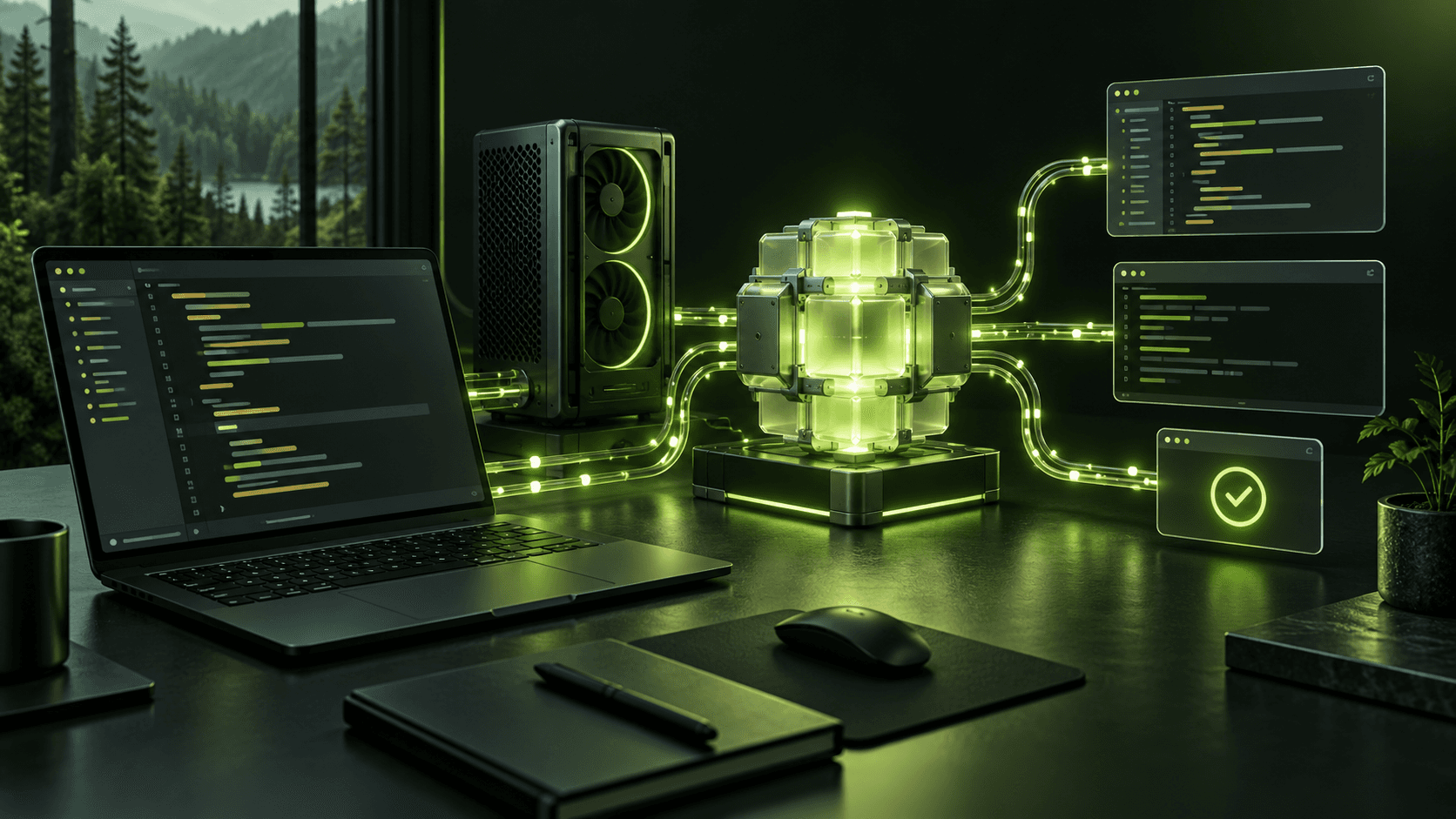
For a safe first test, give the harness a small, reversible task: explain a file, propose one change, then run a relevant check. Inspect what it read, approve the proposed edit, and review the result. That loop tells you more about a harness/model pairing than a one-line benchmark.
Agents, privacy, and control
An agent is a loop, not a special model file: it observes context, asks a model for a next action, uses a tool, reads the result, and repeats. The harness or orchestration layer makes this possible; the model supplies suggestions.
The model is the brain, not the whole agent.
Useful agents also need a controlled way to read, act, remember, and check results.
Tool access deserves its own decision. Reading a file, editing a repository, opening a browser, running a command, and contacting a remote service have different consequences. Give the harness only the permissions it needs and review important actions.
Local inference does not guarantee a private workflow. A cloud embedding API, web search, telemetry, a remote MCP server, or a rented GPU can move data off your computer even while your main chat model is local. Trace the entire path of files, prompts, tool results, and logs.
A local model does not guarantee a private workflow.
A single remote tool, embedding service, or telemetry feed can move data off your machine.
Keep model APIs bound to your own device unless you deliberately configure network access and authentication. Treat downloaded repositories, extensions, and scripts as software you should inspect—not as harmless model weights. LM Studio's server guidance explains why changing the bind address exposes a local server more broadly.
How to judge a setup
A useful setup is not merely one that starts. It should produce the result you want, at an acceptable speed and cost, on hardware and software you are comfortable operating.
A useful benchmark has more than one number.
Run the same prompt and setup more than once; record the parts that affect your experience.
Compare the same task and settings across candidates. Record output quality, time to first response, generation speed, memory use, stability, context length, and total cost. For image and video, record resolution, steps, clip length, and time per output. For a coding harness, inspect the edit and whether the tests pass.
One tokens-per-second number misses the wait.
A responsive experience depends on the prompt, time to first token, and output speed—not just peak decode throughput.
If you are considering new hardware, test the exact model and package on comparable rented compute first. A short real-world trial can expose a slow runtime, unsupported backend, or hidden memory cost before an expensive purchase. RunPod (affiliate) is an option for that trial; shut down resources when finished and account for remote-data handling.
Rent the experience. Then decide.
A short trial with your real prompts is more useful than buying from a memory estimate alone.
Include the checkpoint and quantization.
Allow for context, runtime, and headroom.
Use RunPod to try the setup before purchasing.
Check quality, speed, stability, and total cost.
The best habit is to verify the whole chain: task → checkpoint → package → runtime → harness, if needed → hardware → result. If one link changes, recheck the recommendation.
Replace assumptions with a real setup check.
Most bad purchases and frustrating installs start from skipping one of these questions.
Glossary and sources
| Term | Plain-English meaning |
|---|---|
| Checkpoint | A particular saved version of a model's weights |
| Quantization | Storing weights at lower precision to reduce size and memory use |
| GGUF / MLX / safetensors | Different model-file formats with different software paths |
| Context window | The text the model can consider for one response |
| KV cache | Memory used to retain attention information for active context |
| VRAM / unified memory | Dedicated GPU memory / memory shared by the processor and GPU |
| Runtime | Software that loads and executes the model |
| Harness | Software that gives a model context, tools, actions, and review controls |
| RAG | Retrieval of relevant information for a prompt without retraining the model |
| Tool calling | A model requests an external action that software then validates and executes |
For deeper technical details and current compatibility, start with the primary sources: Open Source Initiative, Ollama, LM Studio, llama.cpp, MLX-LM, vLLM, SGLang, and ComfyUI. Every harness in the comparisons above links to its own documentation for the current setup path.
Ready to apply what you learned? The separate hands-on starting point helps you choose a task; model pages and workflows cover exact packages, hardware, files, and setup paths.